
Edgewise: A Tutor That Asks Before It Teaches
Every time I want to learn something technical on my own, I feel the same problem. And that is where to start.
There are plenty of explanations, and some of them could even be good. Every course starts somewhere. But I never know if that is the place where I am. So sometimes I sit through 20 or 40 minutes of things I already knew. Or sometimes I get in the middle of something that expects 3 ideas I do not know either.
We do not have the right questions when we do not understand something. And that is the whole premise of this concept. Your question comes from a gap you cannot see. So sometimes you come away with a really good answer from AI, but it was the wrong question, and you never know that.
So I built something that does not explain first. It is called Edgewise (edgewise.craigraphics.com). And it finds where your understanding stops.
It asks first
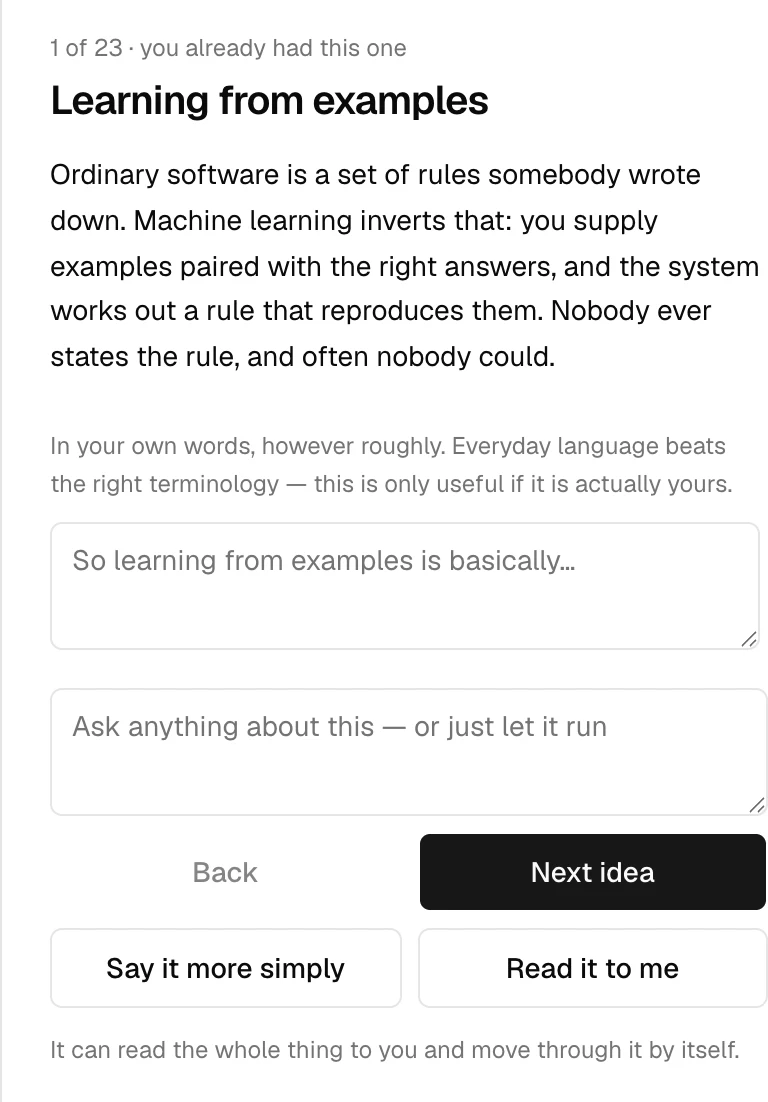
You open it and it asks you a question. You can answer out loud. Nothing gets scored.
Suppose I want a program that spots spam email. What would I have to give a machine learning system that I would not have to give a normal program?
You answer in your own words:
You would give it loads of emails that are already labelled spam or not spam, and it figures out the pattern itself. With a normal program I would have to write the rules by hand.
That idea turns green and it moves on. A few questions later:
People say neural networks are modelled on the brain. How far do you think that comparison actually goes?
Pretty far, each artificial neuron is like a brain cell, it fires when it gets enough signal and passes that on to the next layer.
And that one does not turn green, and it does not stay empty either. It is just a wrong picture of it, and both need different treatment. A person with no idea learns fast. A person with a wrong idea has to drop it first. Teach on top of a broken idea and you will get confident nonsense.
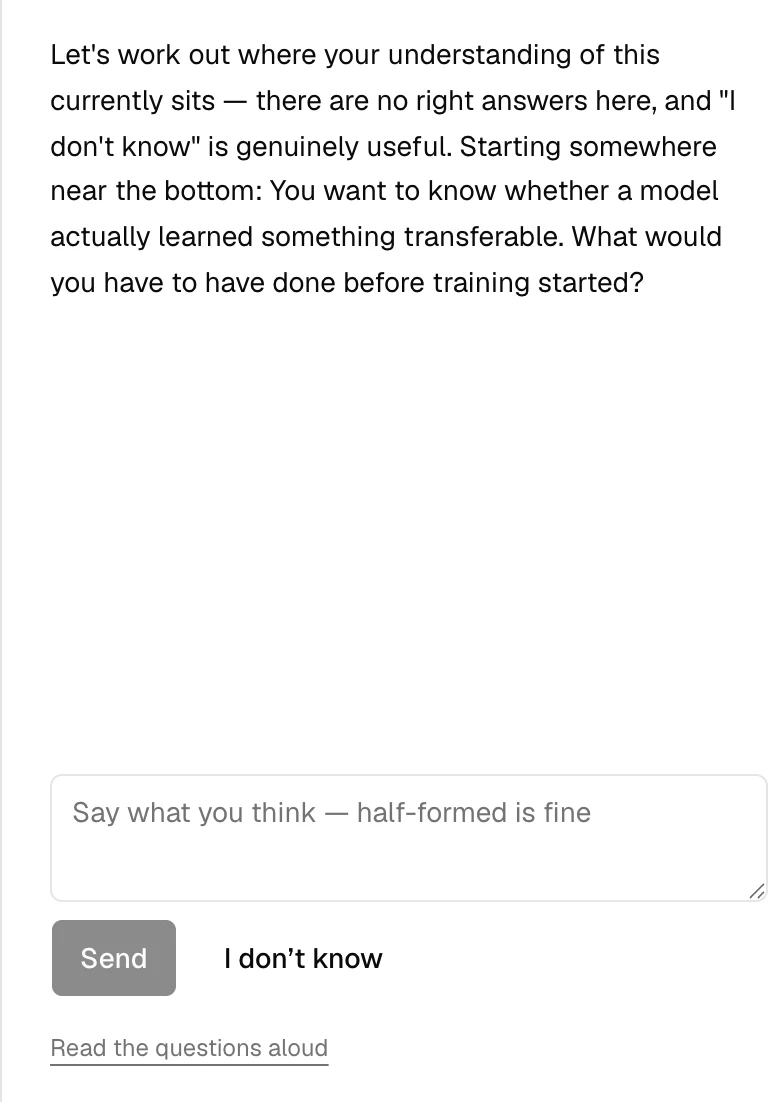
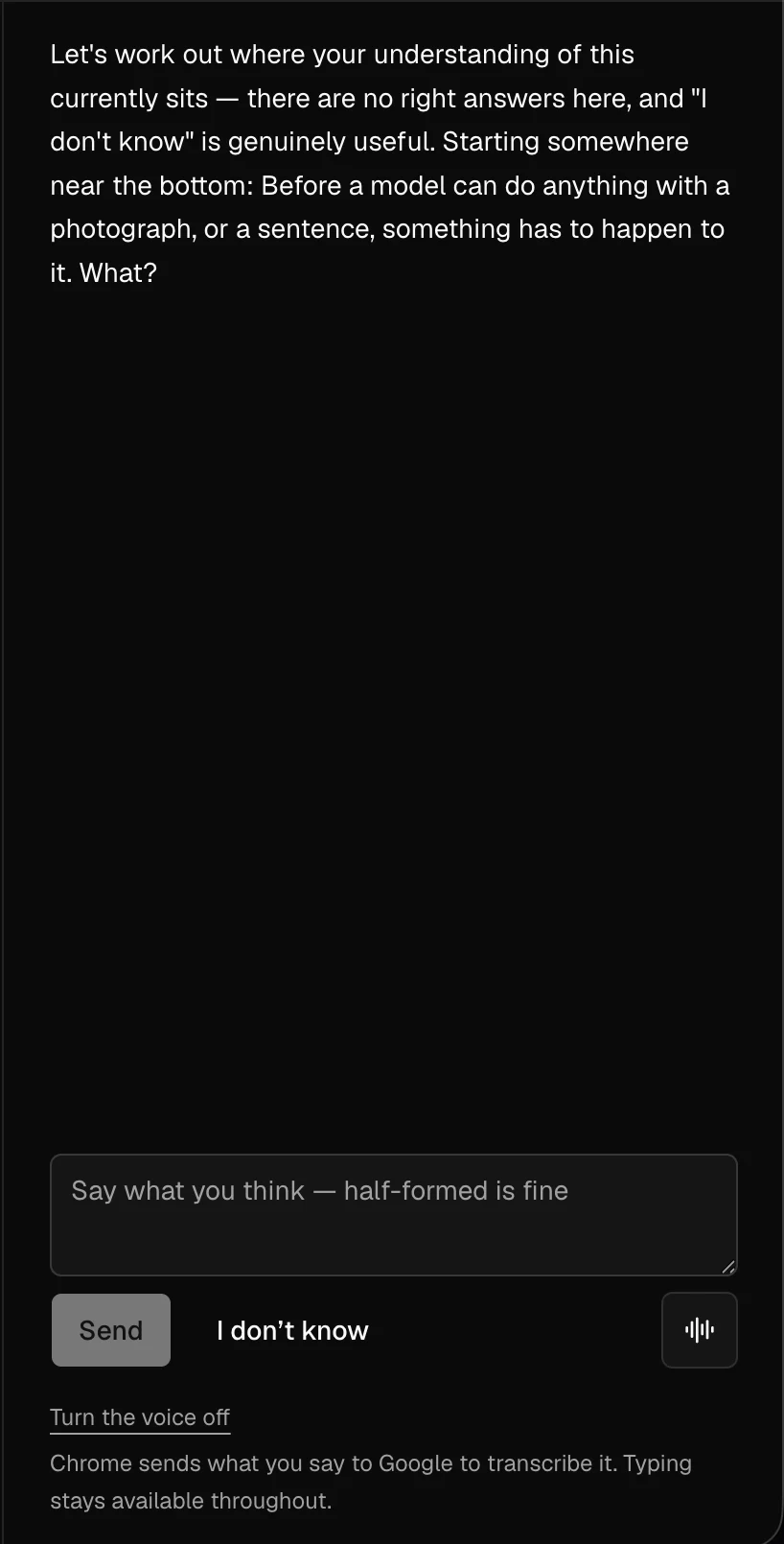
And it keeps like this. It follows what you said. It does not read down a list. It stops when it finds where it thinks you are not on solid ground anymore.
If a question is not clear, you can ask it to say it in a more simple way. You can also say "I don't know", and that will be no error. It moves the conversation on, and it is one of the most useful things you can tell it.
You can do the whole session by voice. When you speak you cannot edit, and that is a different test of knowledge. It is where memory and real understanding come apart.
Then it shows you the map
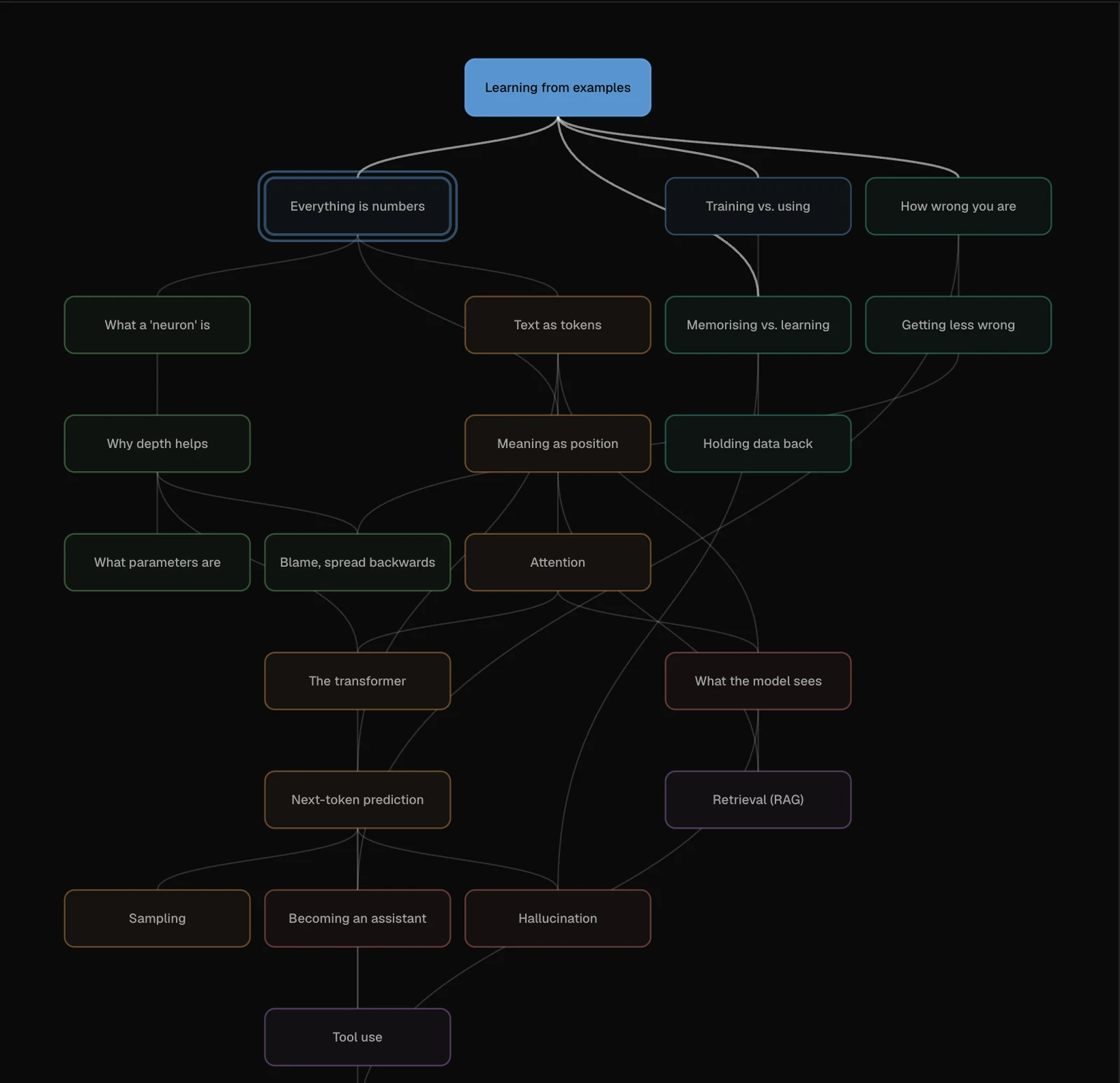
There are 23 ideas on how AI works. They run from learning from examples to agents. And each one sits behind the other.
Every idea gets 1 of 4 marks: solid, half-held, not yet, or not looked at. There will be no score, no percentage, and no "correct".
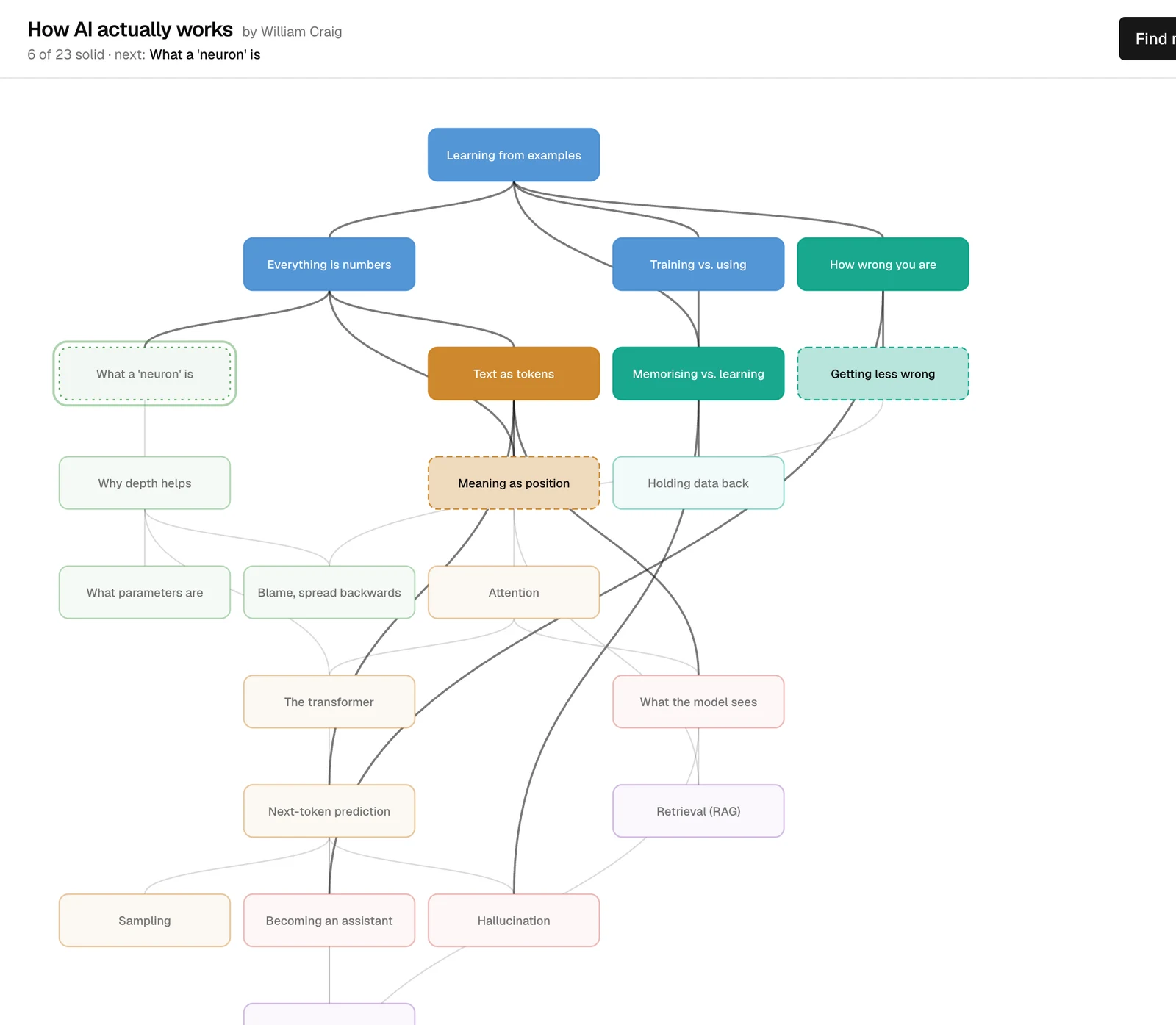
Then it says the sentence the whole app exists for:
Learning from examples is the place to start from, 22 of the later ideas rest on it, which is why so much of the rest has probably felt slippery.
It will not say "you got this one wrong". It says "this is the thing that is holding up everything else". And that is a starting point, not a test result.
Code writes that sentence from the shape of the map. It is not the model. At first I let a cheap model try it, and it gave me "we have reached the limit of where we need to be for this part of the conversation". And that is kind of a good reminder of which parts you keep for yourself.
And AI is only the example I am using here. The 23 ideas live in one file, which is a JSON file, content/graph.json. Nothing else in the app knows what they are about. If you change that file you get the same tool for organic chemistry, or accounting, or the offside rule. It will work.
A subject fits if the ideas really build on each other. It fits if the chain is long, so people arrive in the middle. And it fits if the popular explanations are often wrong.
How AI works scores very high on the last one. A neuron is like a brain cell, it is not. It just predicts the next word, so it cannot reason, that mixes up what it was trained to do with what it can do. Attention means it pays attention to the important words, nothing is looking at anything.
Nothing moves unless you say it
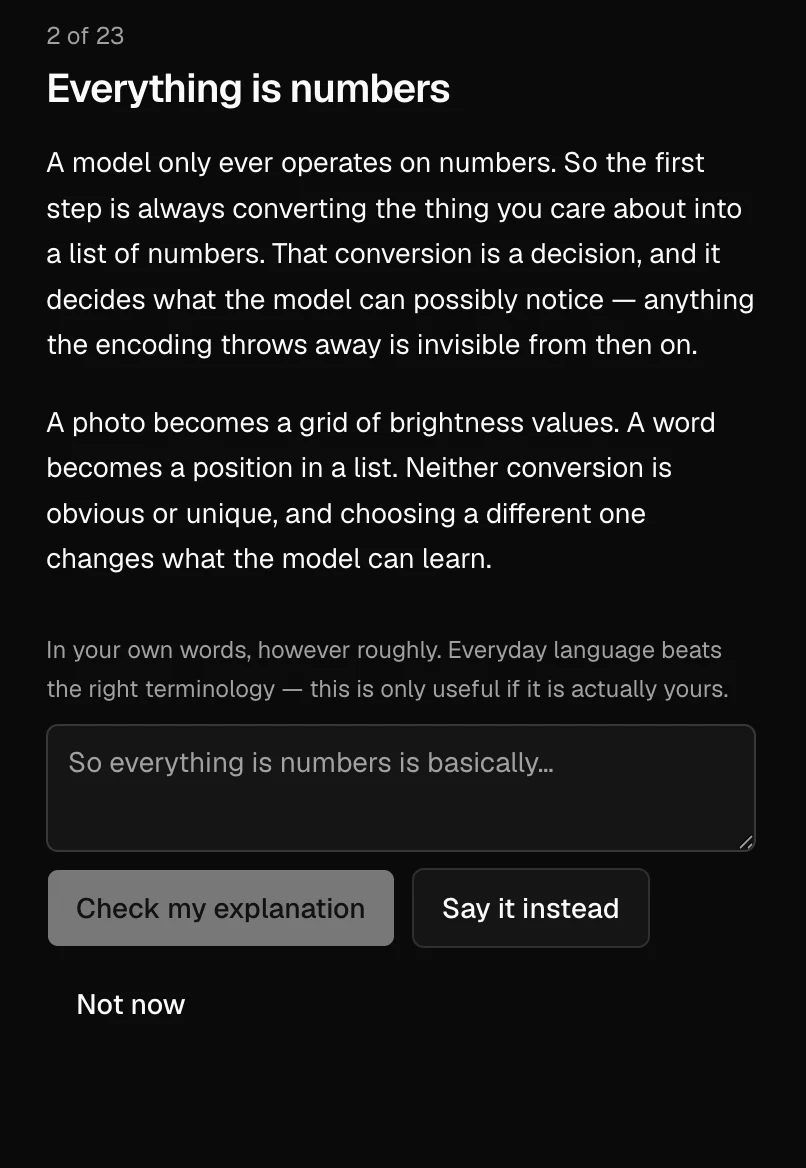
There is one important rule. Being taught something is not proof that you know it already.
A good explanation feels almost the same as understanding one. So a lesson changes nothing on your map. You need to explain it back in your own words, which could be everyday words, to know that you have a solid understanding now.
This counts:
You've got a bunch of numbers arriving, and each one has a sort of importance dial on it. You times them by that and add the whole lot together, and then there's a bit at the end that squishes it. That's honestly it, it's just sums.
This does not:
It is a computational primitive of a neural architecture, and the properties of the network emerge from how large numbers of them are composed across layers.
Every word in the second one is correct. It never says what the thing does.
You can explain any idea at any time. An attempt can raise your mark and it can never lower it. Mark someone down for trying and they will not try a second time.
What it cost to keep it free
I wanted this to be free for the readers, and almost free for me. And most of the decisions came from that.
I wrote the first question by hand, so it makes no model call. And all the other 23 lessons were written by hand too, so the app reads them as written. The lessons are instant and free, and they will not invent anything. The price is the boring part most projects skip. Someone has to write those 23 explanations, and that was me.
The model is gemini-3.1-flash-lite. It is the cheap one, and it runs on a Google free tier, which does not need a credit card.
There is an assumption that you need big models for anything that judges. I made a test on that, and I realised that a big model costs 4 times more, it took up to 34 seconds in only 1 turn, and it gave me the same results. A whole conversation costs about 1 cent.
There is no database. So your progress stays on your browser, and nothing sits on the server. Clear your site data and it is gone, and it does not follow you to another device.
Just to be clear, a free tier counts requests per project, not per person. So the whole app can share about 1,500 requests a day, which is about 75 sessions at most. Without a limit, a single reader could use all of them and make everyone else see "try again later". So 1 session gets 25 model turns, and 1 browser gets 60 a day.
Voice is free for the same reason, and it has the same problem. It uses the speech built into the browser, which costs nothing, and it is also the weakest part of the app. It does not run on your machine either, so the audio goes to Google servers. The app tells you that before it opens the microphone, and you can always type instead.
Free tiers come with one more condition. Providers can use those prompts to improve their products. For a talk about how AI works in general, I accept that. For private work I would not.
What your own key gives you
You always have the option inside the app to add your own Google key. And all the limits will go away. You can also pick the model from a list I tested. Rest assured that nothing is saved.
All the things I would build sit behind that same line.
A hosted voice instead of the browser one. That is the biggest single improvement, and both directions already sit behind an interface, so I can swap it without touching the session.
A real store, so the progress could be saved, and if you clear the cache you could still follow between devices.
And maybe longer sessions. Right now questions and explanations share the same allowance as the first conversation.
The free option cost me one thing I did not expect. A server.
The first idea was for the browser to call the provider with your key, so no key would touch a server. And that plan breaks the moment there is a free option, because the free option runs on my key, and my key inside a browser is a stolen key.
So 1 server route now serves both paths, and your key is safe. I never write it and I never log it. It just stays in memory for 1 request. A script in the repo checks that a failed call cannot leak it into a log. And the browser is locked down, so a script that reads your key has nowhere to send it.
Keeping it on track
This was the hardest part of the project, and it is the one I would like to warn you about.
I give the model very little freedom, on purpose. A person is the one who writes every question in advance, and the app hands them to the model in the same request. So the model just picks what is in there, and it never takes direction. It is only able to choose between 4 actions against a strict schema.
It will not pick the next idea either, because code is the one that does that, from the map and your marks.
And it still went off track. One real session gave me 2 marks where the written reasons were about the previous idea, not the one being answered.
Single questions cannot catch it, because there is no previous idea. So I had to write a second script. It replays the whole conversation, and it judges only on the last answer. It found the bug at once.
The obvious fix was to tell the model to not do it. I had to write that rule 3 times, and each version was clearer than the last one. And then the false passes went from 0, to 2, to 3 out of 48.
So the fix was structural. The 2 checks became required fields in the output schema, and they are placed before all the options. So the model has to write whether you answered the question, and whether you described a mechanism. And only then it can pick a result. Then code holds it to what it wrote.
Back to 0 false passes in 48, and a unit test covers the rule now instead of hope.
When a rule matters, put it in the schema and check it in the code. Do not rewrite the prompt a fourth time.The same idea shows up in a small place. If you interrupt the lesson and ask for something simpler, the app hands the model the written explanation and tells it to work from that. The model can also answer outsideWhatIKnow, which means "this is not what I have here". A schema that cannot say that pushes a small model to invent, and you came here because you cannot tell when it is wrong.
Where it really is
It works end to end, but it is still a proof of concept.
Nobody outside the project has used it. So the real question is still open. Does this map tell a stranger something they did not know about themselves?
The 23 ideas and their links hold one person's view of the subject. Nobody has checked them against a real syllabus.
One test case still fails 2 times out of 3. I left it failing and wrote it down. I did not reword the prompt until the number went green.
Teaching was only a small part. A good model writes a better paragraph about backpropagation than I can. The hard part is knowing where to start, and knowing if anything landed. Both turn out to be problems of structure, and not problems of writing a better prompt.
Have you kept a small model on a narrow path without a schema to force it? I could not. And I would like to know how.
Tags
- AI
- LLM
- Learning Tools
- Voice Interfaces
- Product Design
- Next.js
- Edgewise