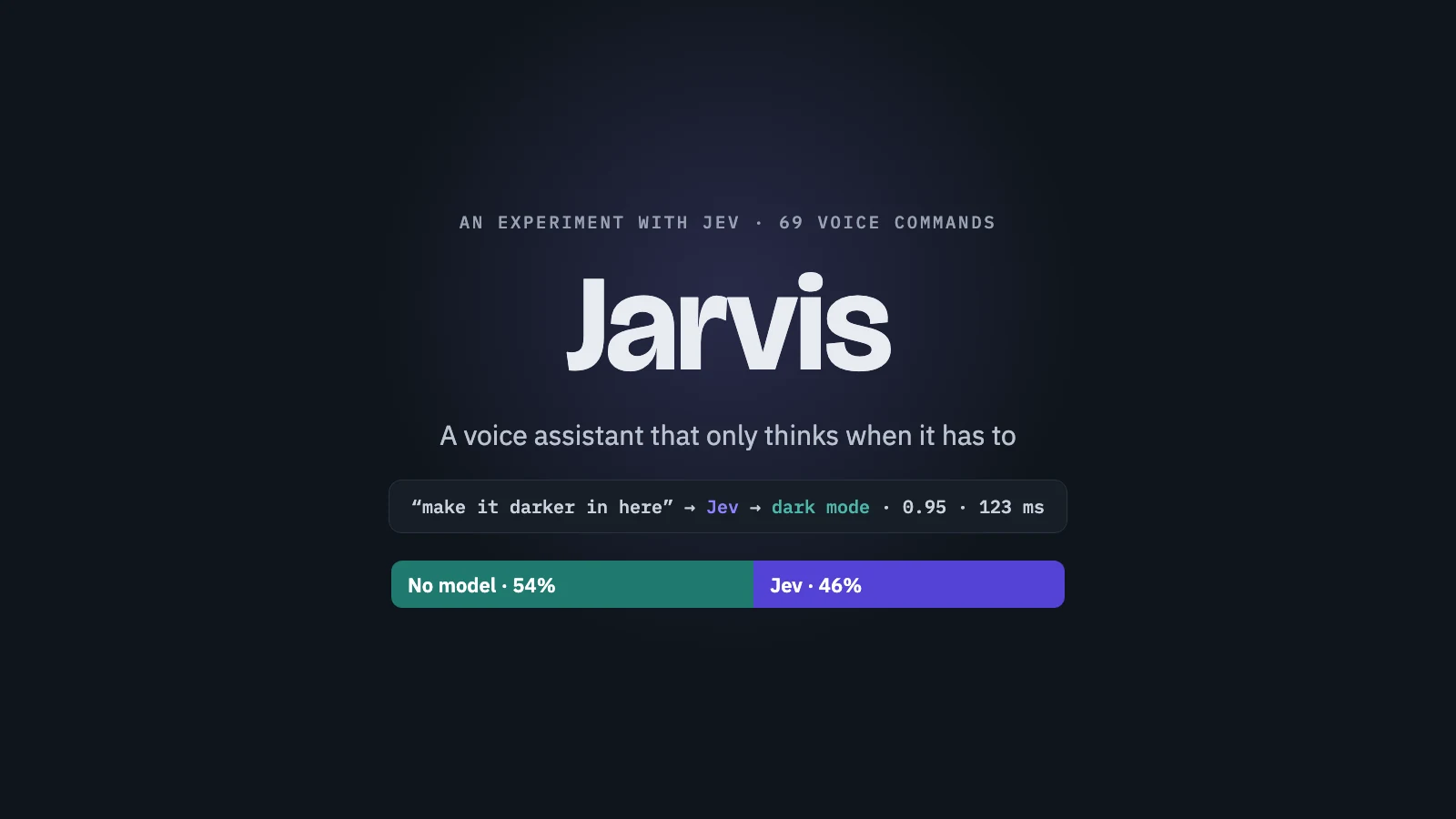
Jarvis: An Experiment in Finding Where Jev Beats an LLM
I started this project because I had a question about Jev.
TypeSafe released Jev, which they call a "System One" model. It is a strange kind of model. It does not write anything. You give it some text and a few multiple-choice questions, and it answers each one with a probability for every option and a confidence score. It takes about a tenth of a second.
I wanted to understand where something like that fits. When would I use Jev instead of an LLM?
So I started to experiment, and I needed something I would really use to test it on.
The idea: talk to my Mac
Choosing between options is what you need to understand a command. "Volume up", "turn it up" and "it's too loud" are different sentences, but they all point to the same action. Jev can choose that action without writing anything.
I decided to try voice commands on my Mac.
There are tools that already do this, but I wanted to see how far I could get with Jev. I use superwhisper every day to dictate, so I only needed to connect it. When I say a keyword at the start of a sentence, the text goes to Jev with a list of things it could mean, and a script does the rest.
I picked the things I do every day:
- Obsidian, which I use for notes. "Create a note called Shopping list saying milk and eggs."
- Search in the browser without typing. "Go to github dot com."
- Take a picture. "Take a selfie."
- Open an email with a subject and a body already written. "Write an email to Maya about Friday."
The keyword was "Jev" at first, after the model. But the speech model heard "Jeff" every single time. I tried "Jarvis", and it was spelled right in all 6 tests. That is how it got its name.
Where Jev hit its limit
The first three worked well. Jev picked the right action, a small piece of code pulled out the note text or the website, and a script did the work.
The email was trickier.
Jev can tell that "write an email to Maya about Friday" is an email. It can even pick between options I prepare for it. But it cannot write the email. It cannot turn "about Friday" into a subject and a body, and it cannot turn "tomorrow at 9" into a real date.
For that I still needed an LLM, so I put Jev before it to choose the action.
The approach: how the parts work together
Every command goes down the same path, and each step only runs if the one before it could not answer.
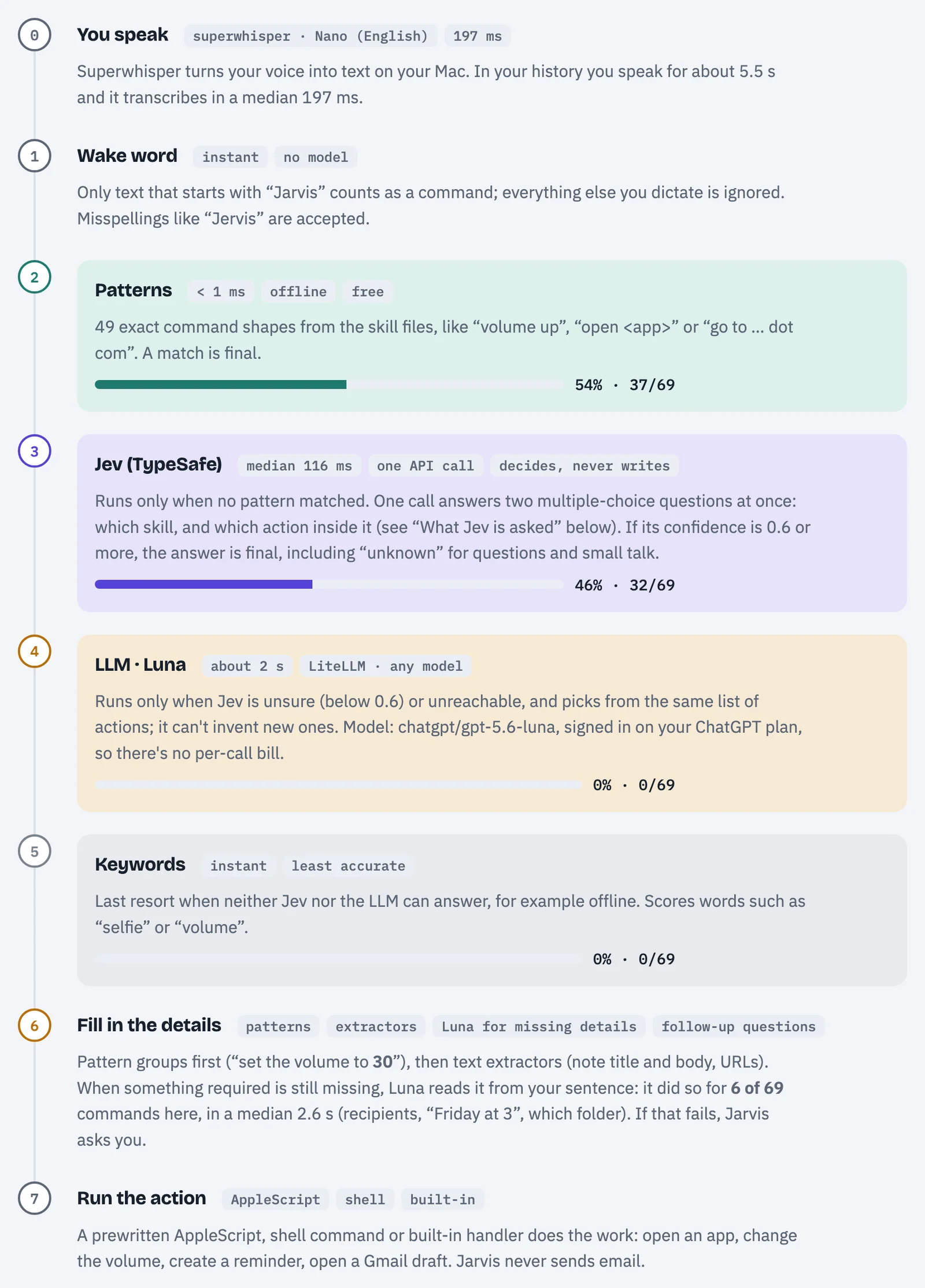
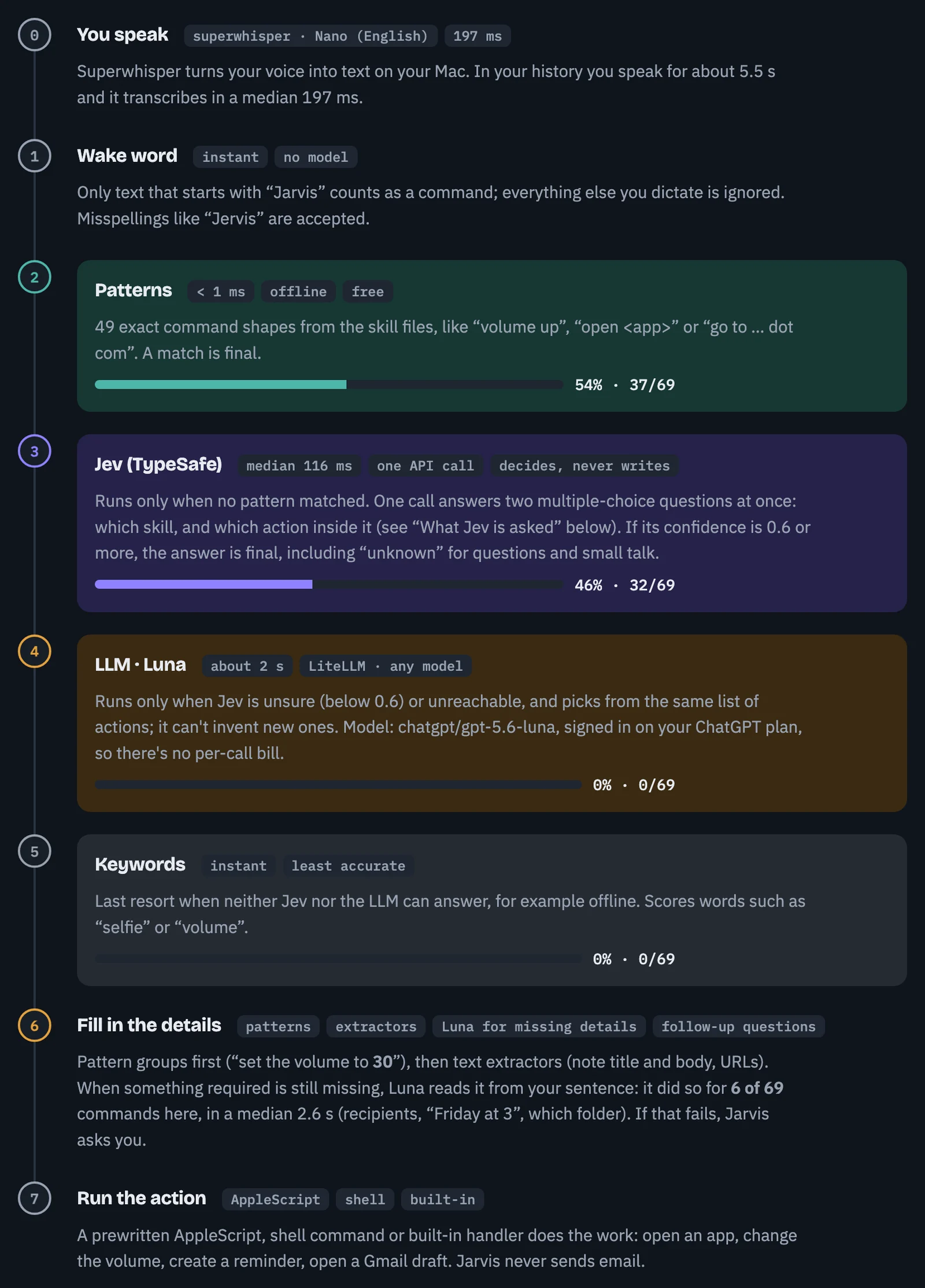
1. Patterns first. Most of what I say to a computer is boring. "Volume up." "Pause the music." "Open my downloads." Those are exact shapes, so plain patterns catch them. There are 49 of them now. A match takes less than a millisecond and needs no model at all.
2. Jev when the patterns cannot answer. "Make it darker in here" matches no pattern. Jev picks dark mode with 0.95 confidence, in 123 ms. It answers two questions in one call: which app is this for, and which action inside it. One option is always "unknown", for questions and small talk, so "did you take the picture?" does nothing.
3. An LLM only for what Jev cannot do. It writes email drafts and fills in details, like turning "Friday at 3" into a date or finding the address behind a name. It can also choose an action if Jev is unsure. It never writes code that runs, and it never sends anything.
4. Scripts do the work. Every action is a script written ahead of time, and I have to read it before it can run on my computer. The models choose the action and write what it needs.
For an email, a pattern or Jev recognises the request, and the LLM writes the draft. A script opens it in Gmail with the recipient, subject and body filled in. I can ask for changes out loud. But it never sends. Even if I say "send it", it only tells me the draft is ready. I still have to click to send it.
Almost no cost
This was important for me. I did not want an experiment that sends every sentence to a paid API.
- Patterns and scripts are free and run on the Mac.
- Jev is one quick API call, only when a pattern cannot answer.
- The LLM is GPT-5.6 Luna, and it runs on my ChatGPT Plus plan through the same sign in that Codex uses. It uses the plan I already pay for, so there is no extra bill. It goes through LiteLLM, so any other model, or a local one, works too.
- The tools around it are free and open source.
From script to tool
The first version was one Python script for a demo. Then I kept improving it, and it became a real command line tool, jarvis:
- It listens through superwhisper, through any voice tool that copies its text, through the Mac's own microphone, or through the keyboard.
jarvis doctorchecks everything it needs: the voice input, the Jev key, the LLM sign in, the apps, the Obsidian vault, and the macOS permissions. Each problem comes with the exact fix.- Every app is a small file with a description, some example phrases, the patterns and the script. Jev's options come straight from those files, so a new app is a new option, with no code changes.
jarvis addteaches it a new app by asking a few questions: which app, what you call it, which actions you want. It can also ask the LLM to suggest actions from the app's own scripting dictionary, and it shows me every script before saving it.jarvis setupis a short questionnaire for the rest: which voice tool, the name it answers to, the browser, the vault, the keys. The first time you runjarvis, it offers to run it for you.- Email recipients come from the Contacts app and, if you connect it, your Gmail contacts, allowing for the way speech-to-text spells names.
Right now it knows 11 apps and 25 actions: apps in general, the browser, Music, system settings like volume and dark mode, Finder, Reminders, Calendar, email, Obsidian, Photo Booth, and your own Apple Shortcuts.
The results
I measured 69 commands: every Jarvis command I had dictated through superwhisper, plus every phrase I had used to test Jev. They ran through the real decision path with live model calls, in a dry run, so nothing was executed.
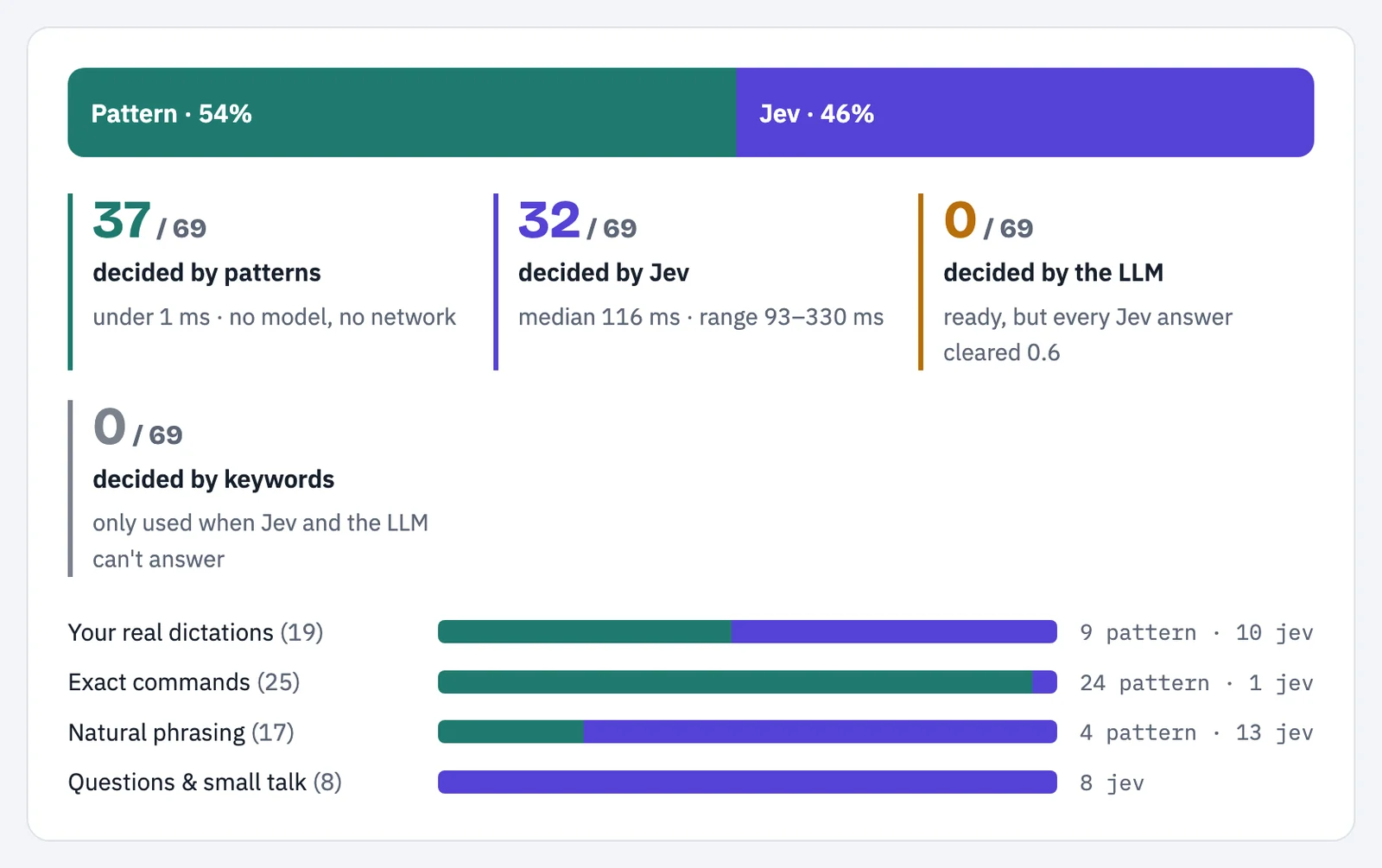
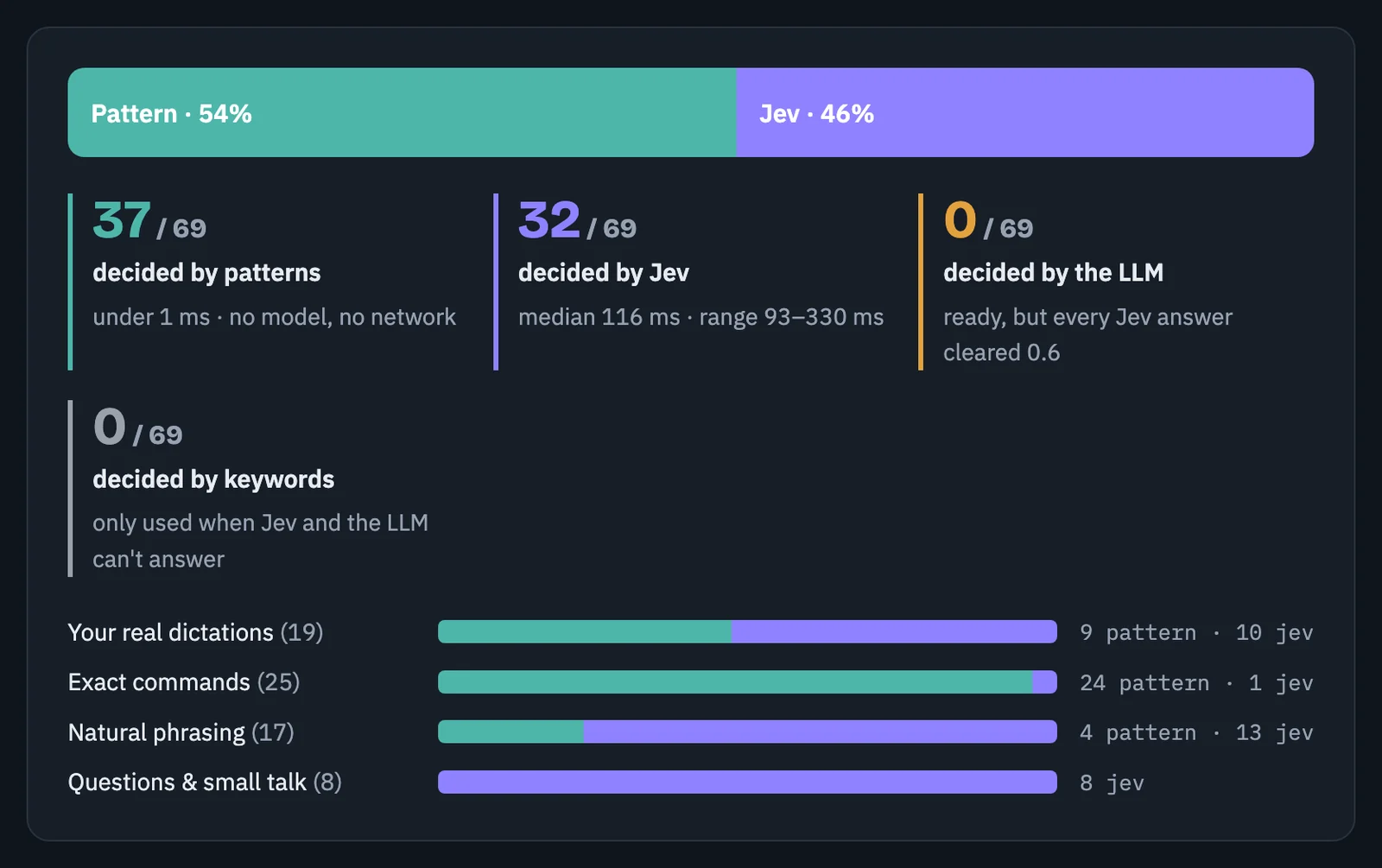
| Step | Commands decided | Time |
|---|---|---|
| Patterns | 37 of 69 (54%) | under 1 ms |
| Jev | 32 of 69 (46%) | median 116 ms, from 93 to 330 ms |
| LLM | 0 of 69 | every Jev answer was above its 0.6 threshold |
| Keywords | 0 of 69 | only used when nothing else can answer |
This is where Jev helped:
- "Put on some tunes", "it's too loud", "capture my face". None of these matched a pattern, and Jev got all of them right.
- All 8 questions and comments came back as "unknown" with 0.96 confidence or more, so nothing ran.
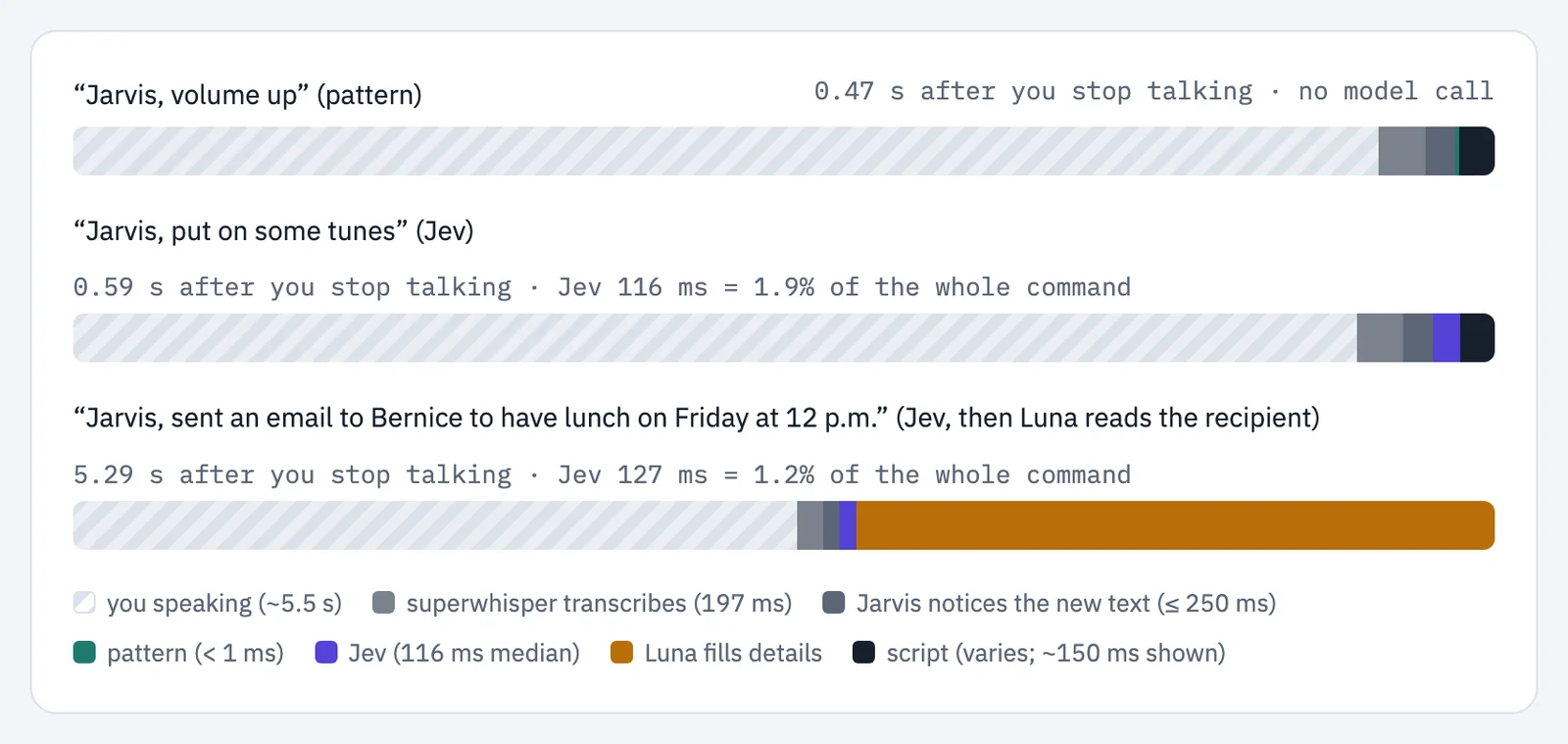
- I speak for about 5 seconds, and superwhisper needs about 200 ms to write it down. Jev adds about 116 ms. That is around 2% of the whole command.
The LLM ran 6 times, always to fill in a detail, like a recipient or a date. It took between 1 and 5 seconds, so it is the slowest step by far. That is why it only runs when something required is missing.
What went wrong along the way
The second selfie. I said "Jarvis, did you take the picture?", and it took another selfie. The word picture was enough for the simple rules. Jev fixed it, but only after two changes. I had described "unknown" as just "anything else", which tells a model very little. And my own code ignored a confident "unknown" and fell back to the rules anyway. My code needed to accept a confident "I don't know what you want" and stop there.
Speech is the weakest link. Superwhisper wrote "github.com" as "OpenGeekHove.com", "Obsidian" as "of CDN", and one contact's name as a completely different name, three times. For those errors, I needed to fix the speech tool's vocabulary list.
The boring bugs took the longest. Photo Booth's "Take Photo" no longer has a keyboard shortcut. Contacts refused to open from a script. The ChatGPT plan only answers when the response is streamed. None of these were AI problems.
Limits and permissions
It is still an experiment, and it has real limits.
It only knows the apps it has skills for. Apps with a scripting dictionary, like Music or Mail, are easy. Apps without one need clicks and shortcuts, which break more easily. And some scripts have gaps: the calendar one often misses repeating events.
It needs your permission for everything it touches. macOS asks before a terminal can type into other apps, use the microphone, or control Contacts, Calendar or Reminders. jarvis doctor tells you which permissions are missing and where to turn them on.
Until now, only one person has used it, and that is me. The 69 commands were measured as a dry run. Some actions I have used for real, like the selfie, the notes and the email drafts. Others were only checked in dry runs and by compiling their scripts.
Try it yourself
Jarvis is open source, under the MIT license: github.com/craigraphics/jarvis.
You need a Mac, Python 3.11 or newer, and uv. With nothing else, the exact commands already work: "volume up", "open Notes", "take a selfie". A Jev key from TypeSafe adds natural phrasing and ignores questions. An LLM adds email drafts and details like dates, and it can be your ChatGPT plan, an API key, or a model running on your Mac.
If something breaks, please open an issue.
What comes next
I want to add more voice commands that do more things on my Mac, and keep the cost almost nothing.
I want to make new apps easier to add, so the questionnaire in jarvis add is enough for most of them. And I want to try a fast "pick one of these" model in more places where I would normally use an LLM.
FAQ
Do you really need Jev? For a short scripted demo, patterns are enough. Jev helps with natural phrasing and with choosing between many apps. It also recognises questions that should do nothing.
Does Jarvis send emails? No. It writes the draft and opens it. You still have to click to send it.
What does it cost to run? Patterns and scripts are free. Jev is one quick call when a pattern cannot answer. The LLM runs on my ChatGPT Plus plan, so there is no extra bill.
Which voice tools does it work with? Superwhisper, any tool that copies its text to the clipboard, the Mac's own microphone with local whisper, or plain typing.
Does it work offline? The patterns and the scripts do. Jev and the LLM need the network.
Can I try it? Yes. It is on GitHub under the MIT license, and the install is one line (see "Try it yourself" above).
How do you teach it a new app?
jarvis add <app> asks a few questions and creates the skill file. With --ai, the LLM suggests actions for that app, and you approve each one.
What I learned
I started by asking where Jev fits instead of an LLM. In this experiment, I ended up using it to choose the action before calling the LLM for anything still missing.
Patterns handled more than half of what I tested. Jev chose the rest, including knowing when to do nothing. I still needed the LLM to write and fill in details.
Where else do you think a model that only chooses would beat one that writes?
Tags
- AI
- LLM
- Jev
- Voice Interfaces
- Automation
- macOS
- Jarvis